◉
Analyze
Run the main analysis pass and turn the available audio into an editable MIDI result.
Analyze a performance, compare MIDI against the original waveform, refine notes inside Anri Piano Roll, and move the result into your Logic Pro workflow from one focused interface.
No purchase or donation required. Installer coming after the signed macOS build is ready.
macOS • Audio Unit • Logic Pro workflow
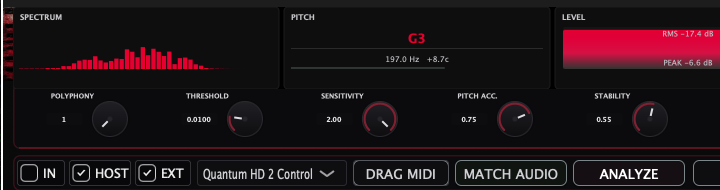
Analyze the performance, inspect MIDI against the source audio, edit the result, then drag or send it into your production workflow.
Run the main analysis pass and turn the available audio into an editable MIDI result.
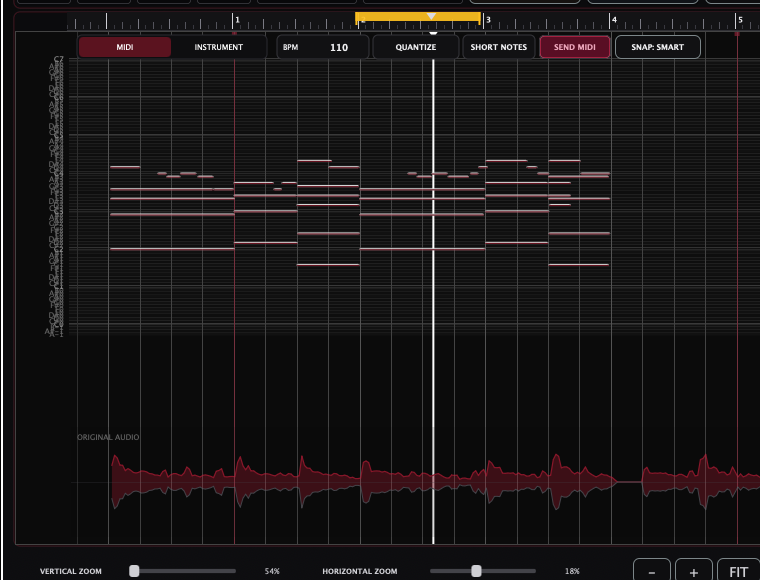
See MIDI notes on the pitch/time grid while the original waveform stays aligned underneath.
Move, resize, insert, delete, adjust velocity, and preview pitch while refining the result.
Match MIDI velocity to the local loudness of the original performance for a more natural dynamic result.
Clean timing with Quantize and Snap while keeping detailed control over note placement.
Drag the MIDI into the project or send the prepared result through the host workflow.
Use host or external MIDI output, choose the MIDI channel, transpose, and constrain the pitch range.
Fit the phrase, zoom horizontally or vertically, then play, stop, and seek while checking edits.
Use Randomise, Musical, Up +1, and Down -1 for fast variations and pitch adjustments.
Review articulation and expression characteristics alongside the detected MIDI, including Legato, Tremolo, Pitch, Expression, Vibrato, Breath, and Articul.
Tune the analysis for different sources with dedicated controls.
Capture more than pitch and timing. Anri Audio MIDI analyzes the performance character of the source and shows articulation and expression information alongside the detected MIDI.
Review the character of the original performance before sending MIDI into the project. The performance view exposes articulation-related and expressive parameters in a compact visual panel.
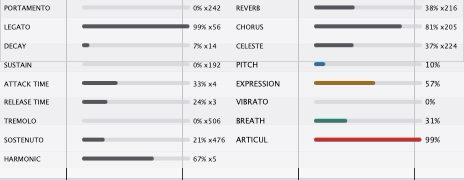
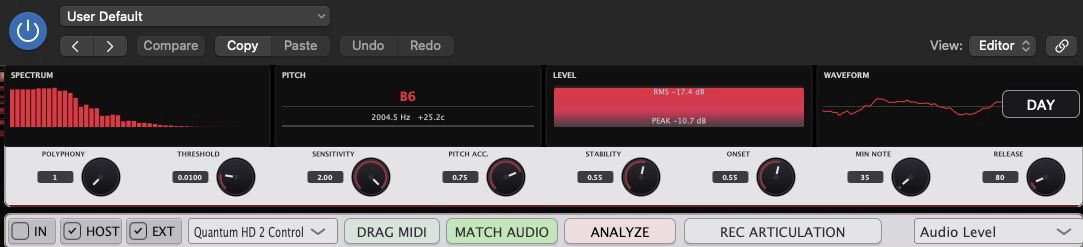
These screenshots show the actual Anri Audio MIDI interface: Analyze, articulation and performance detail, Piano Roll with Original Audio, and preview and zoom controls.

Anri Audio MIDI is planned as a free download, without paid features or required donations. The signed macOS installer has not been published yet. Check back here for the release.
All Anri Audio plugins are free. If you enjoy them, you can choose to support independent development. Support is entirely voluntary, unlocks nothing, and is never required to download, use, or update a plugin.
Our official Boosty profile is linked for verification. Donations will be invited once payouts are confirmed. Every Anri Audio plugin remains free.